
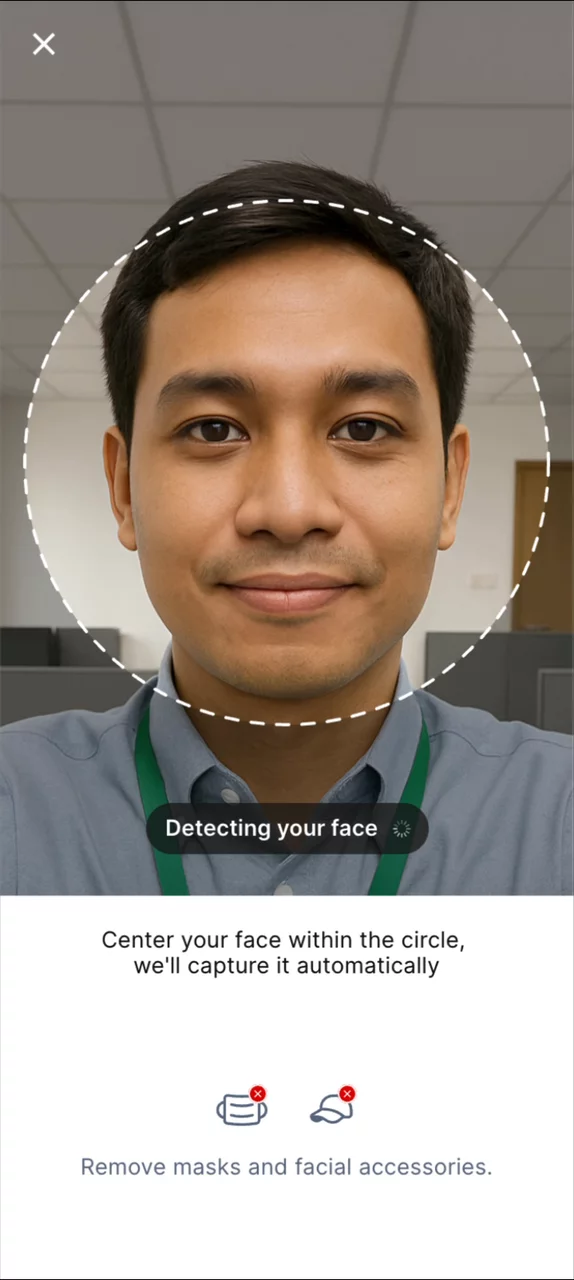
Driving Adoption of Facial Recognition Attendance
How giving users control over an AI feature drove full feature adoption.
Company
SYNAPSIS
Year
Q2 2025
Role
Designer
Key Result
Legacy Fingerprint Attendance Fully Replaced
After improvement were released, facial recognition attendance able to fully replaced the previous fingerprint attendance system.
Zero HR support tickets
After 3 months, there is zero HR support tickets regarding facial recognition problems.
Removed manual HR works
With one data source, HR doesn’t need to merge attendance data every month.
Background
We were building an attendance management app for a client. At some point, the team integrated a facial recognition model into the existing check-in and check-out flow without a designer involved. By the time I was brought in, it was already live. The first signal that something was wrong came from the HR Report.
The feature experienced significant drop-offs and issues that disrupted the user experience and business needs.
- Facial recognition model being used is not sensitive enough to detect users' faces.
- Users abandon the check-in and check-out feature and revert to the old fingerprint method.
- HR needs to manually merge attendance data from the mobile app and fingerprint system every month.
Insight That Sparked The Changes
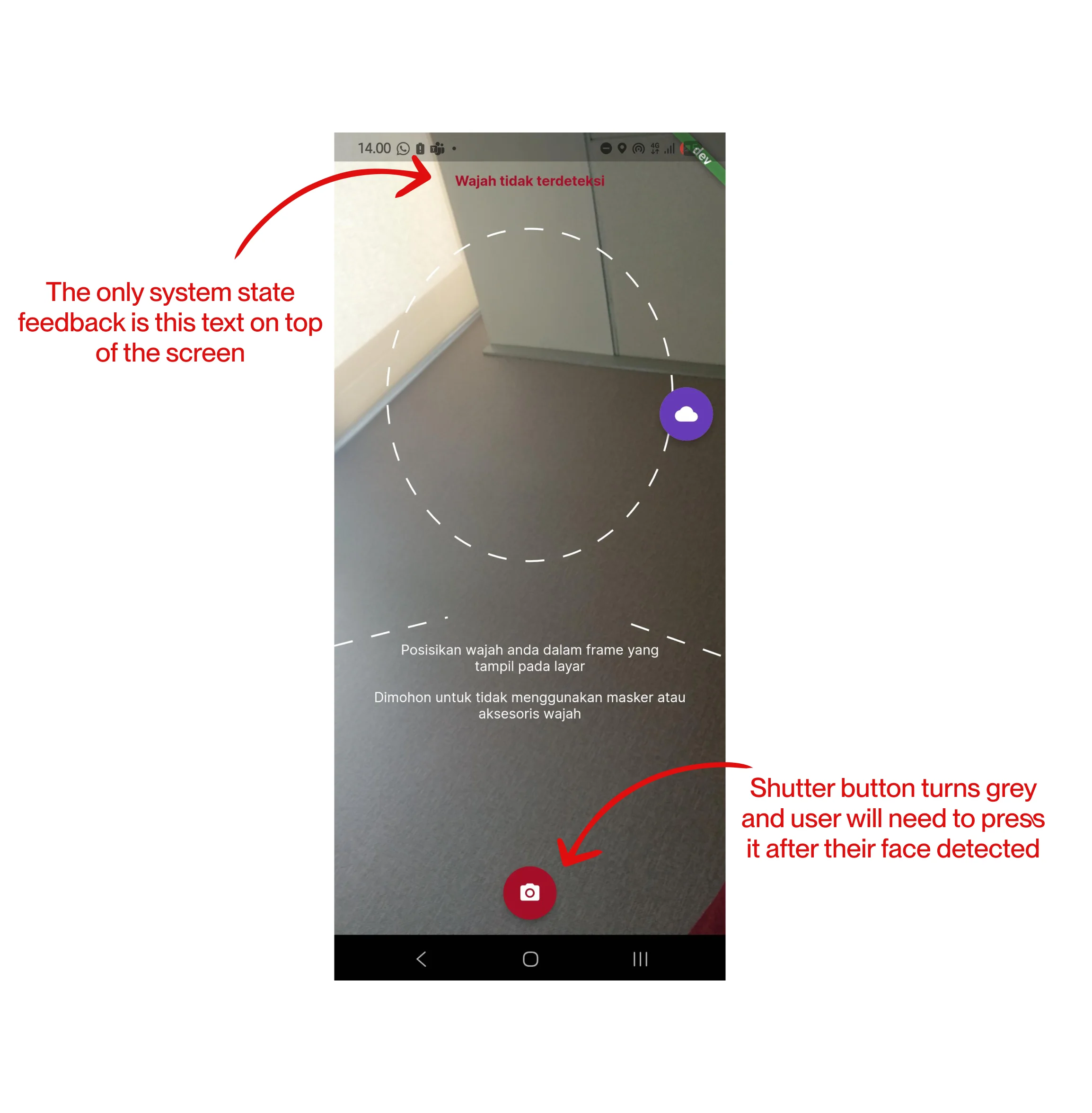
From the talks we had with HR department, we discovered some user behaviors that build up from the implementation of facial recognition.
- Users constantly move their phone around when using facial recognition features in attempt to make their face detected.
- Users struggled to time the shutter button after their face was detected. Even slight movements often reset the detection process.
Constraint That Focused The Thinking
At that time, we were unable to make changes to the facial recognition model because of the limited resources.
Leveraging user control through system feedback
Our direction was pretty clear, we want to give the user a sense of control when using the features. We focused on building a bridge between user behavior and facial recognition model.
Solution Overview
Clear system status
We designed the experience around Visibility of System Status, ensuring users receive clear and timely feedback throughout the interaction.
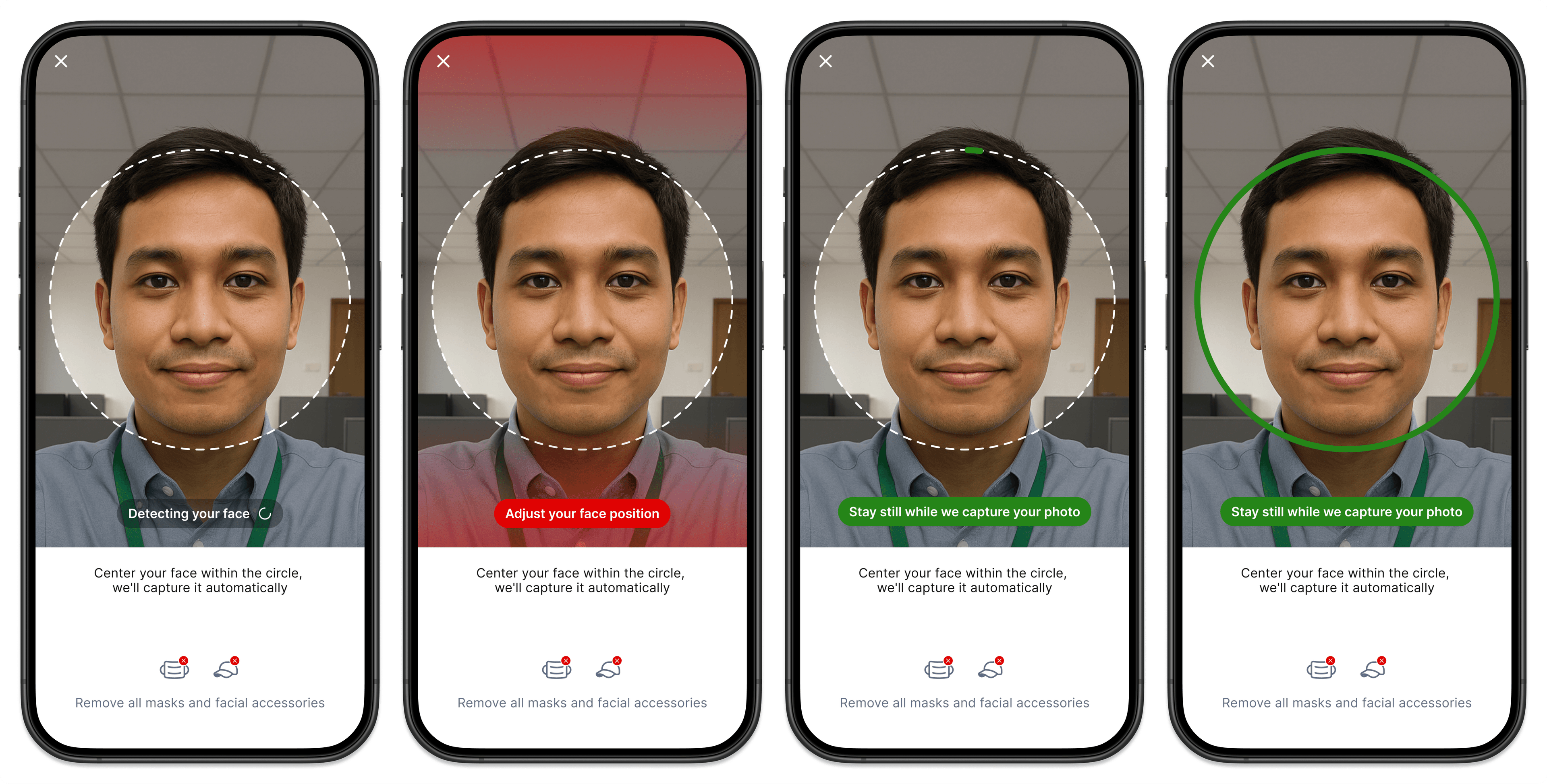
Automatic Photo Capture with haptic feedback
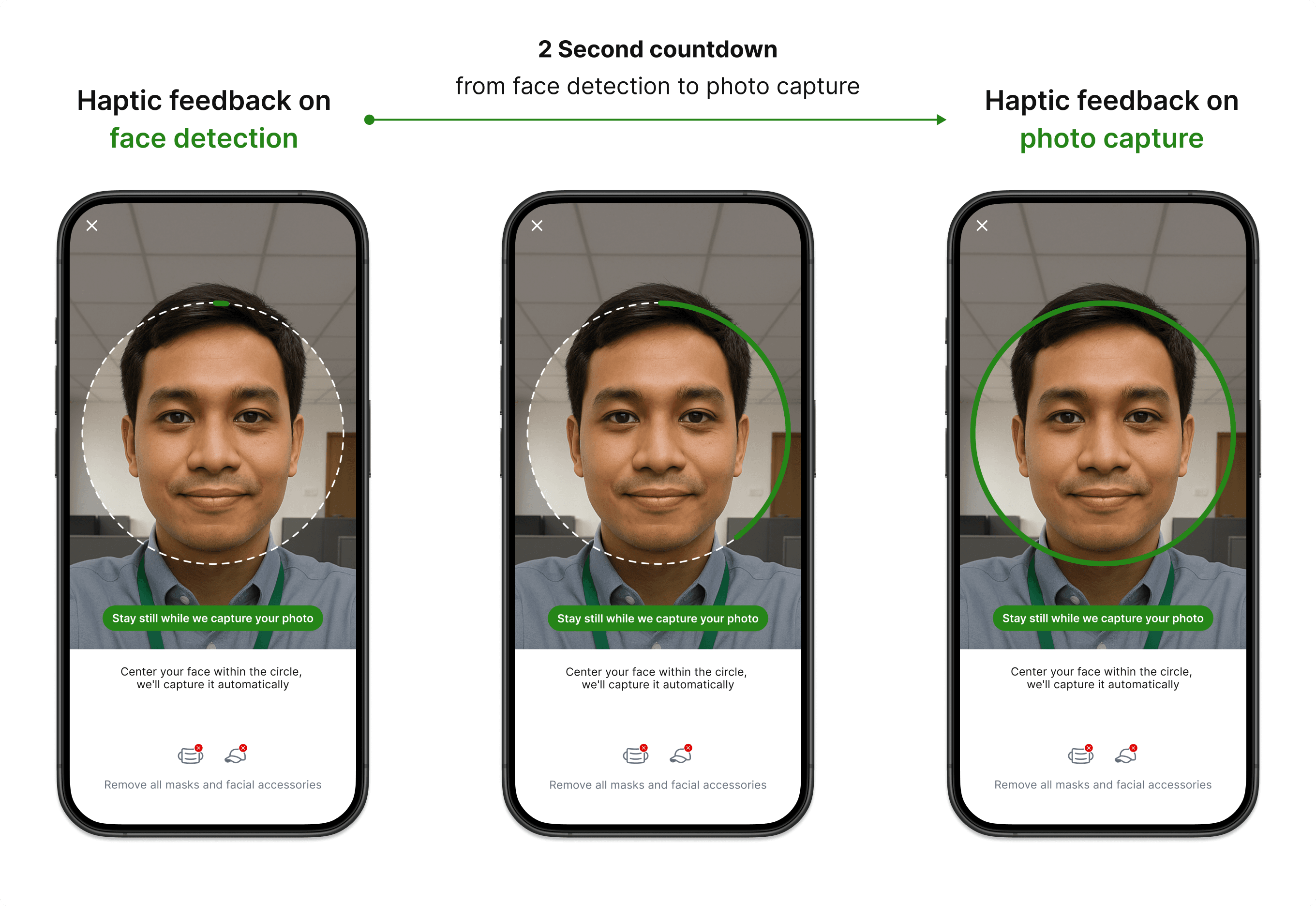
We adopted the haptic feedback used by QRIS* to confirm a successful QR scan.
We extended the familiar haptic pattern to support a two-stage interaction. The first confirmation reassures users that their face has been detected, while the second confirms the photo capture. We built on an existing mental model while keeping users informed throughout the automated capture process.
*QRIS is Indonesia's national QR payment standard, used by millions of people every day.
See It In Action